
The inventory app for home and workWatch it, 36 seconds
Know what you have. Wherever it is.
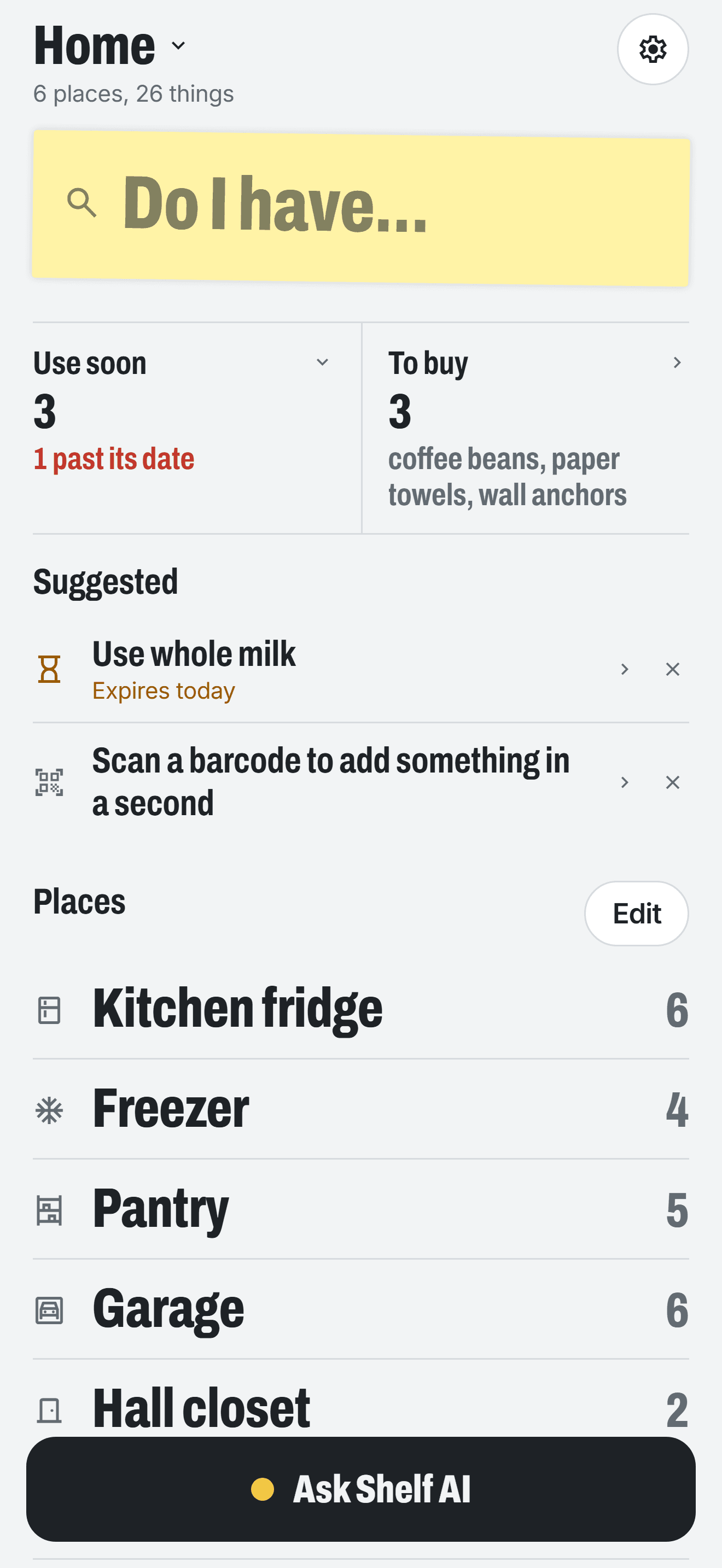
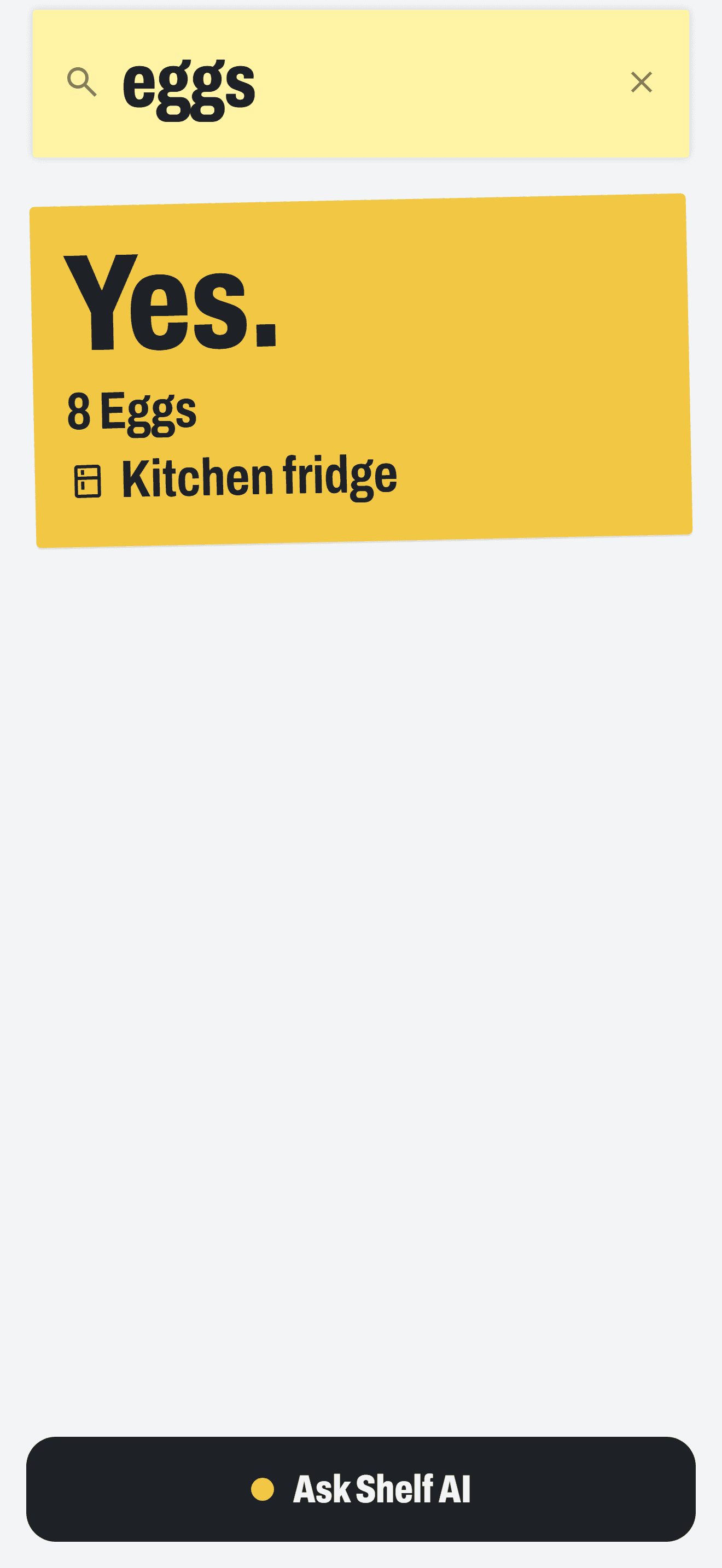
Ask “do I have eggs?” in the store and get the answer in a second, even with no signal. Your fridge and pantry, the garage, the truck and the job site, in one app.
- Works offline
- No ads
- Share with your household
In 36 seconds
See it before you set it up.
Standing in the store, wondering what’s at home? Here’s what Shelf & Shed does about it. Sound on.
- Look it up in the store, even with no signal
- Find anything, and exactly where it is
- See what’s about to go bad
- Know exactly what to buy
- Add a whole shelf with one photo
- Say what you used
Sound familiar?
Bought a third jar of cumin.
Two were already in the back of the pantry.
Threw out chicken you forgot.
It was in the freezer since spring.
Drove home for a drill bit.
The one you already had, in the garage.
How it works
Three steps. Then just ask.
Snap your shelves
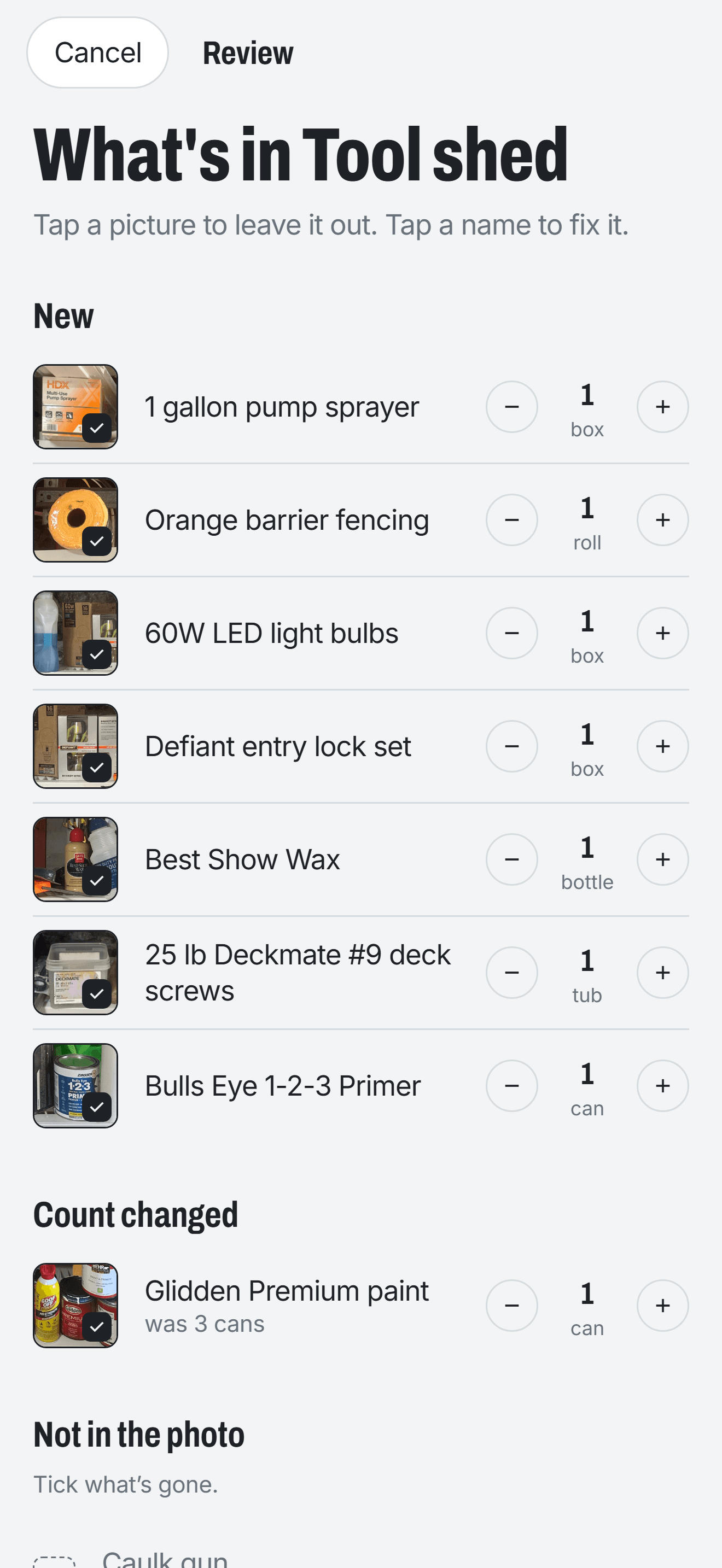
Take a photo or two of a shelf, a fridge or a drawer. It lists what it sees, and you keep what’s right.
Say what changed
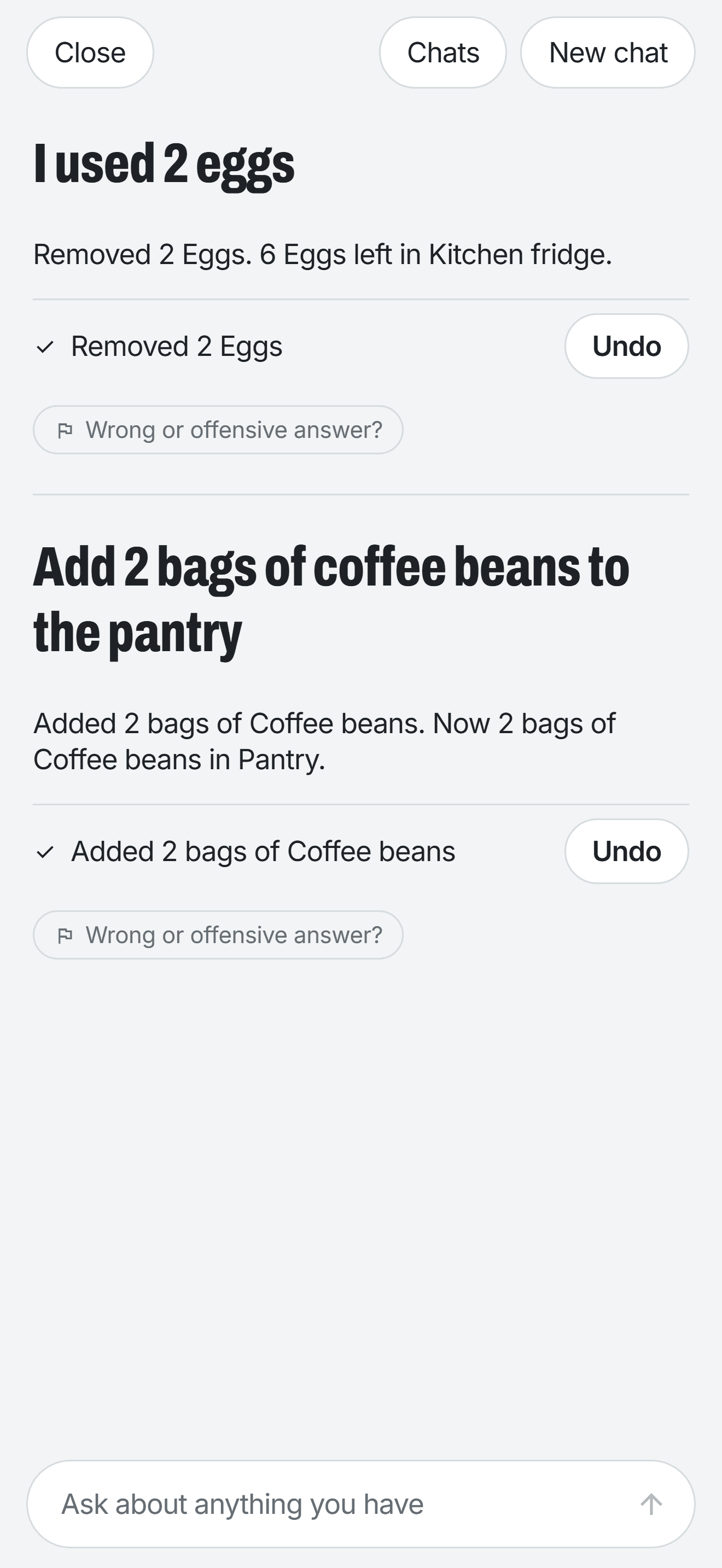
“I used 2 eggs.” “Add 2 bags of coffee to the pantry.” Type it or say it, and Undo is one tap away.
Know before you buy
In the aisle, ask “do I have eggs?” and the answer is on screen in a second, with where it is.
And then
Less waste. Fewer trips. No double buys.
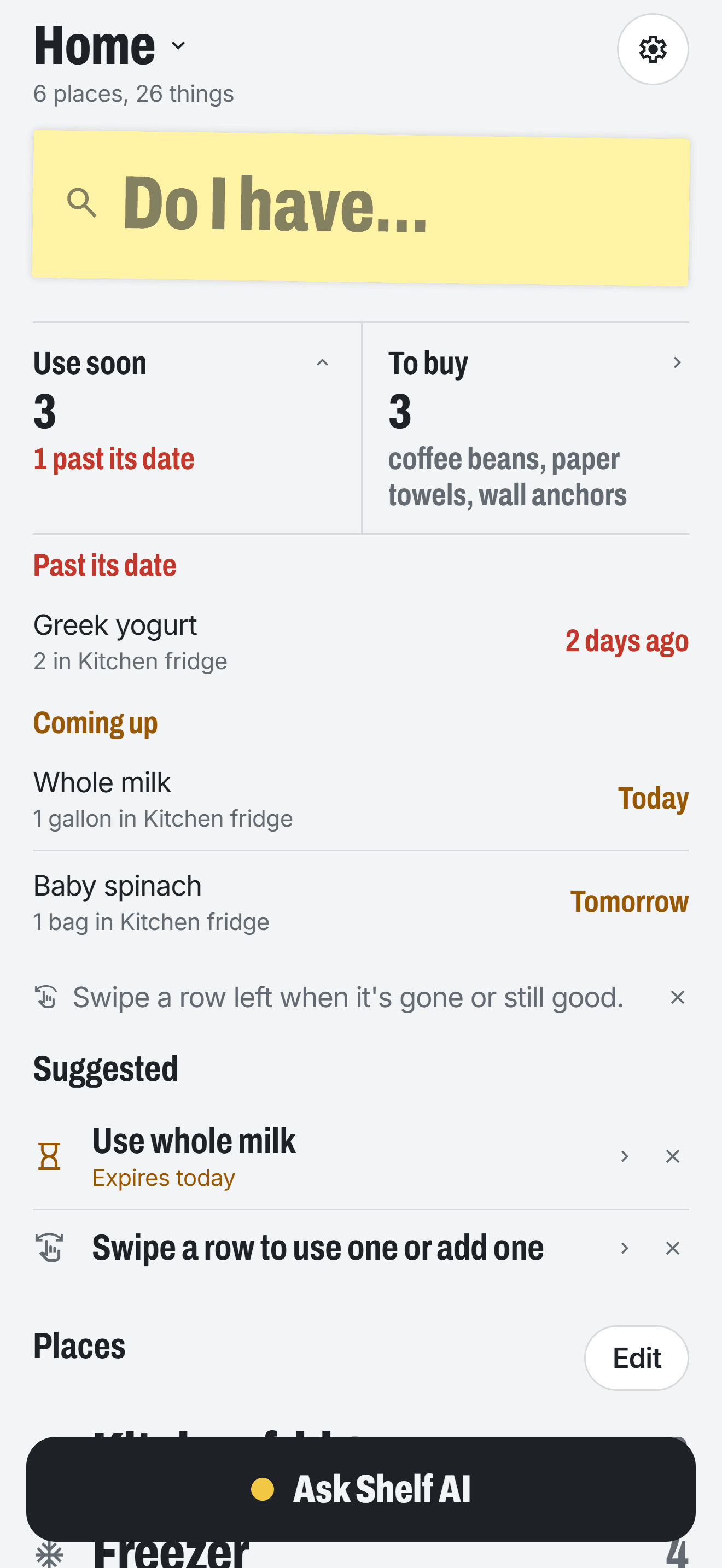
Use it before it goes bad.
What’s expired and what’s next sits right where you open the app, so the spinach gets eaten.
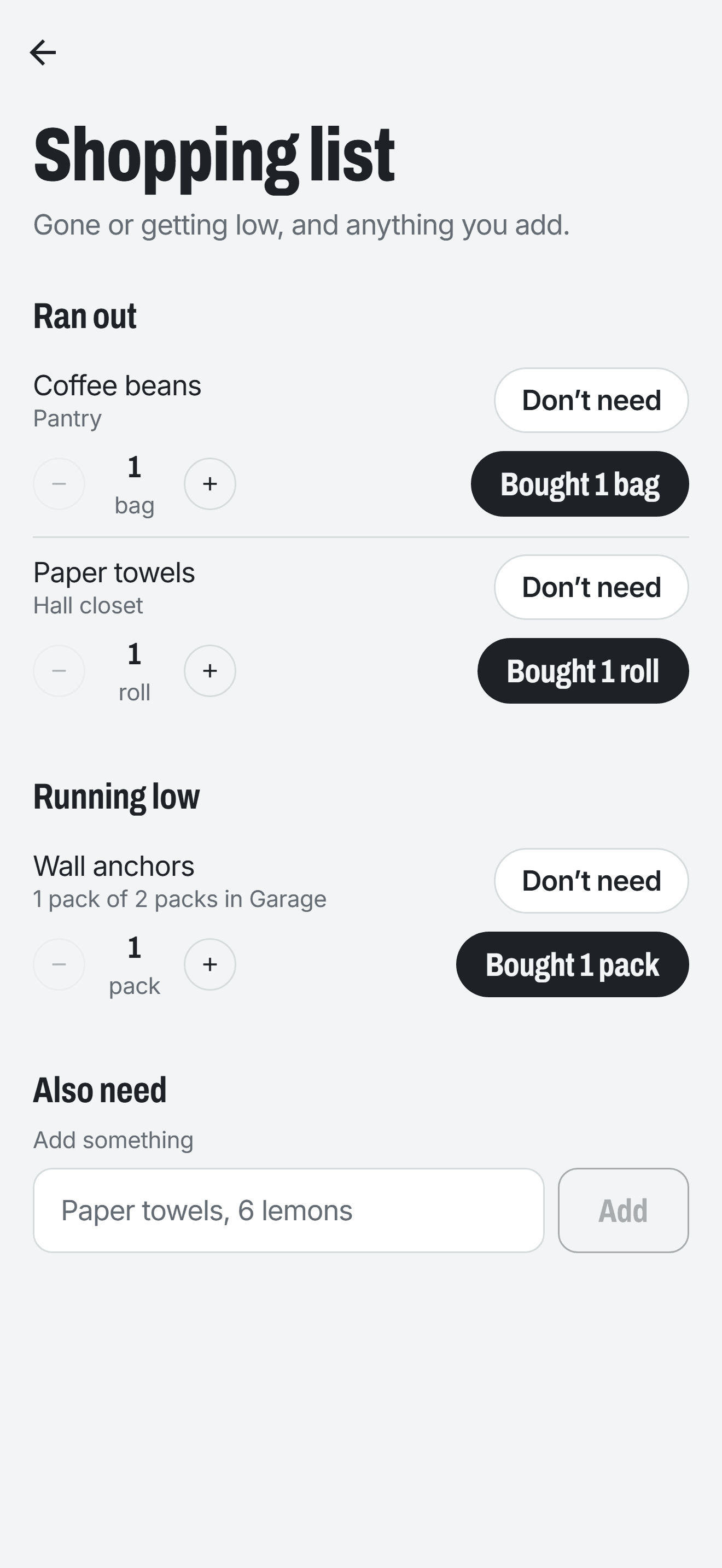
The list writes itself.
What runs out goes on the shopping list. Tap Bought and it’s back in stock.
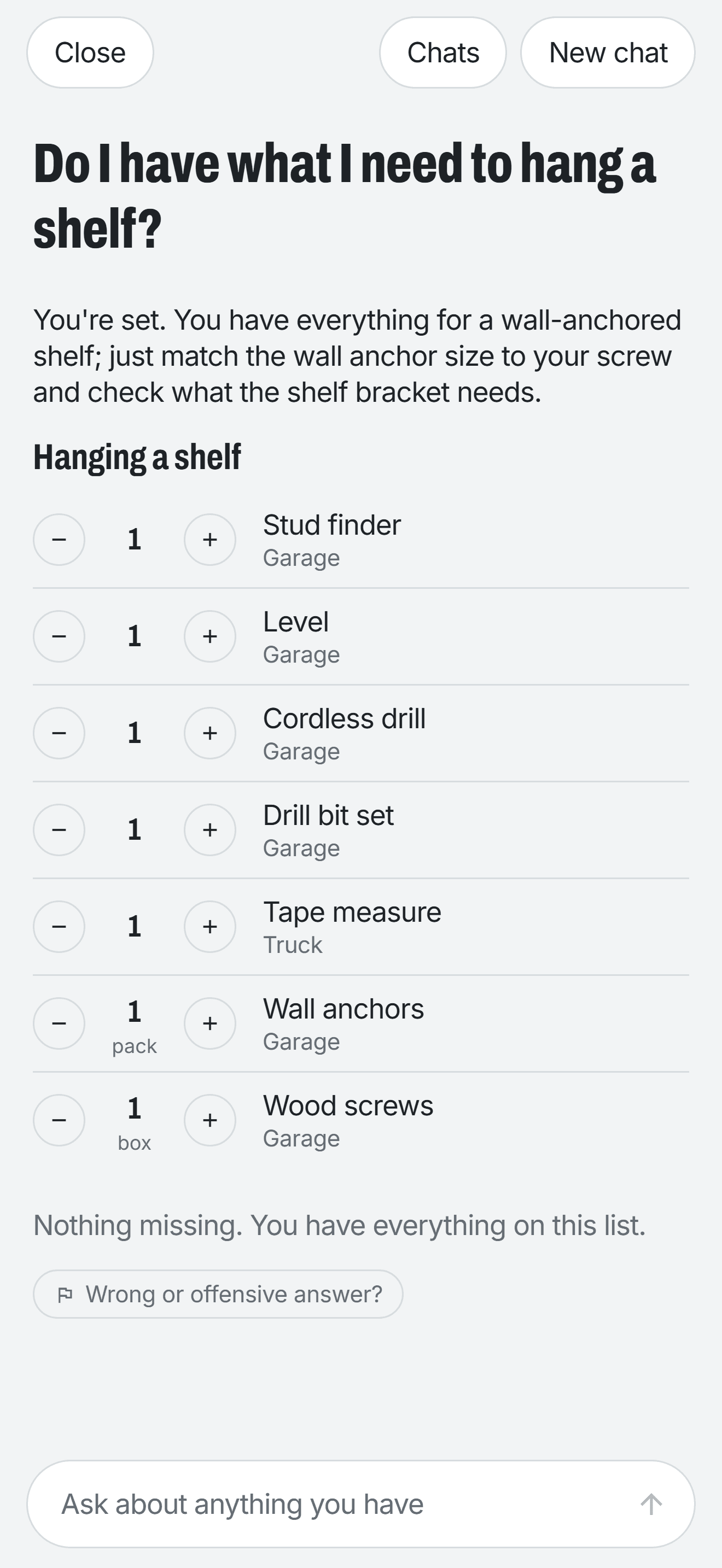
Dinner tonight? A weekend project?
Ask Shelf AI what you can make from what’s in the freezer, or whether you have what a job needs. It lists what to buy.
Works with no signal.
Your inventory lives on your phone. The back aisle of a big-box store is fine.
One list for the house.
Invite the people you live with. Everyone sees the same stock, live.
For every place you keep things.
- Kitchen fridge
- Freezer
- Pantry
- Garage
- Tool shed
- Hall closet
- Basement
- Storage unit
- Wardrobe
- Truck
- Workshop
- Garden shed
Pricing
14 days of Plus to start.
Without Plus
$0
Your first inventory starts with 14 days of Plus: nothing to buy, nothing to cancel. After that, everything you logged stays.
- Unlimited places and items, offline too
- The “Do I have it?” search, always, offline too
- 10 Shelf AI messages a month
- 3 shelf or receipt photos a month
- Up to 3 people, and 1 inventory of your own
- Your last 3 backups
Plus
$24.99 a year
Or $3.99 a month. One subscription covers your whole inventory, including everyone you invite.
- Shelf AI every day, up to 100 messages a person
- Shelf and receipt photos every day, up to 30 an inventory
- Up to 5 people, and 5 inventories of your own
- 30 days of backups, plus 5 you make yourself
- Add-ons: up to 10 people, or 10 inventories
The 14 days of Plus need no card and end on their own; nothing becomes read-only after. Plus is bought in the iPhone app through the App Store and renews until you cancel there. Prices in US dollars; the App Store may show local prices.
Questions
Do I have to type everything in?
No. Snap a shelf or a fridge and it lists what it sees, snap a receipt after shopping, scan a barcode, or just say what you put away. You check the list before anything is saved.
Does it work with no signal?
Yes. Your inventory lives on your phone, so “do I have it?” and “where is it?” answer anywhere: the back of a big store, the basement, the cabin. Changes you make offline sync when you’re back.
Who can see my inventory?
Only the people you invite. Everyone in a shared inventory sees the same stock and the same changes, live on every phone.
What does the AI see?
Nothing until you agree, and you can turn it off in Settings. TypeSafe works out what an English question means, from the question and the names of your places and items. Open questions and photos go through OpenRouter to AI models from Google (Gemini), Z.ai (GLM, for a job or what something is for) and DeepSeek (when the app is in Thai, and as a backup if a photo can’t be read). A question includes the conversation so far and this inventory: places and items, with names, amounts, dates, notes, loans, values and how often things are bought and used. If you ask about the past, it also includes who changed what and the words they used. A shelf photo goes with what is logged in that place, a receipt with everything in the inventory, and a wardrobe photo on its own. Estimating values sends names and details of things without a value, never photos. OpenRouter is limited to hosts that don’t store or train on what we send. The privacy policy has the details.
What do I get before I subscribe?
Setting up your first inventory turns on Plus for 14 days. No card, and nothing to cancel. When those days end, everything you logged stays, and “do I have it?” still works offline. Shelf AI is then 10 messages a month, and shelf or receipt photos are 3 a month, for up to 3 people and 1 inventory of your own.
iPhone or Android?
Shelf & Shed is on the App Store for iPhone.